
Outlook Express 5 Newsgroup Setup in Mac OS 9
This tutorial will show you how to setup a Newsgroup account in Outlook Express 5 for Mac OS 8 or 9.
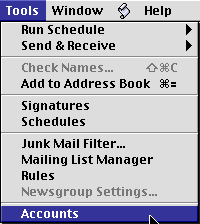
- Click on the "Tools" menu and select "Accounts"
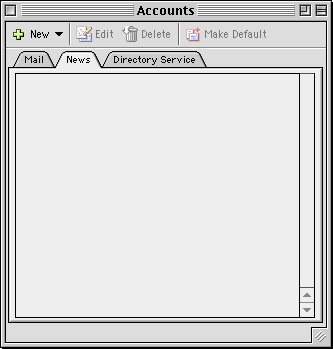
- In the "Accounts" window which appears, Click on the "News" tab, and click on the "new" button.
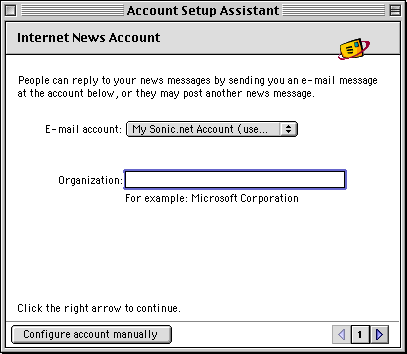
- In the window which appears, Type an organization if you would like to do so, and press the right arrow to continue.
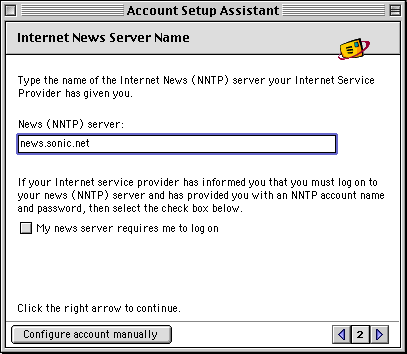
- The "News (NNTP) server" is news.sonic.net. Sonic.net only requires you to log onto news.sonic.net if you are accessing the server from an outside
network. Once you've entered this, press the right arrow to continue.
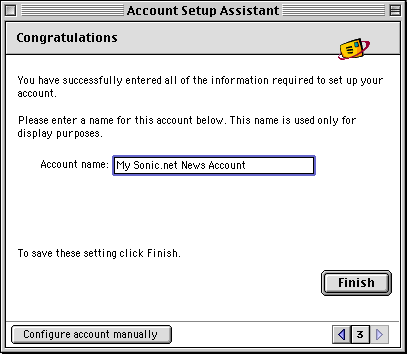
- Enter a name by which Outlook Express can refer to these account settings. Press "Finish" when you are through.
That's it, you're done! For more information about Outlook Express, please see the help documentation found within the program. Back to the Macintosh setup guides.